🦷 Dental - for dental clinics
Your whole dental clinic, in one place.
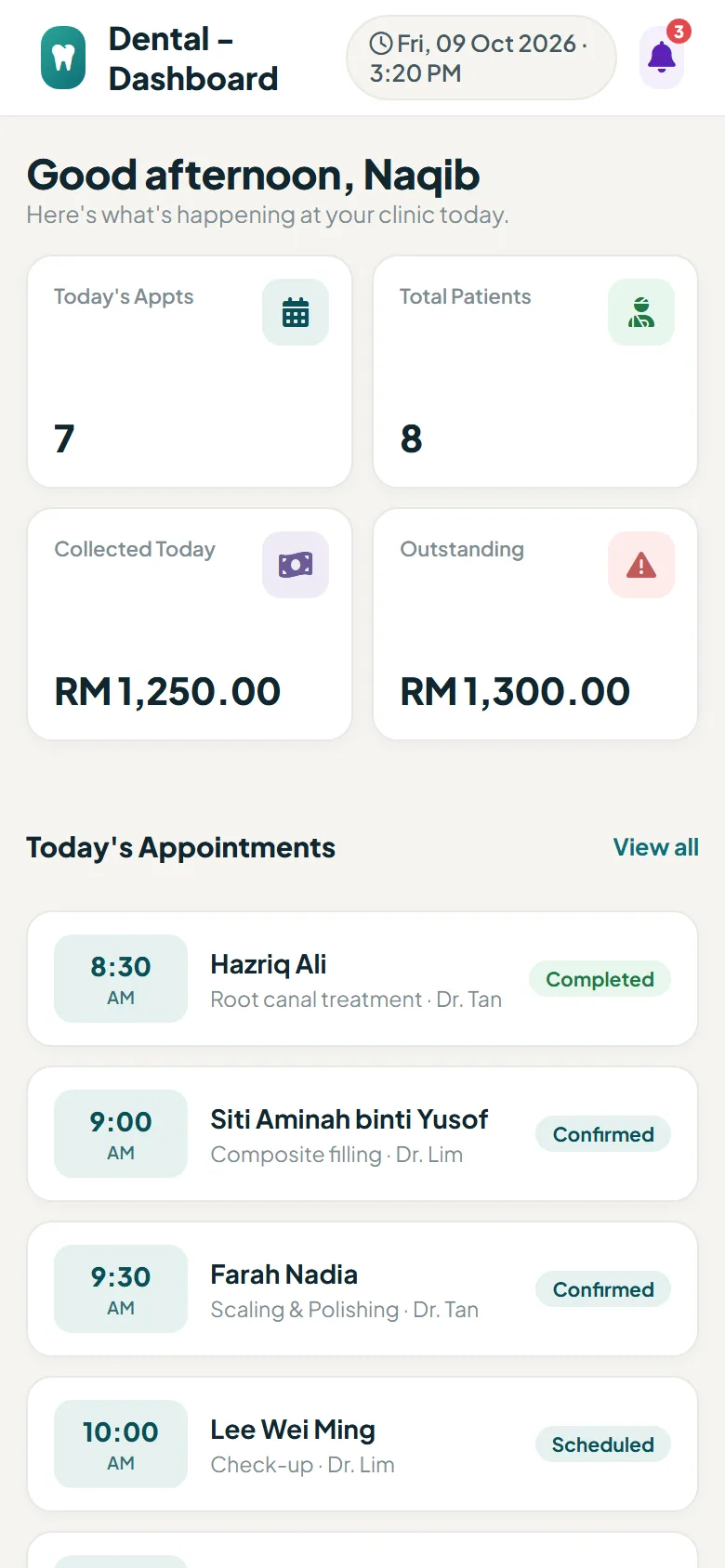
Appointments, patients, dental charts, billing and Google reviews in one system. Patients book themselves 24/7, and the whole clinic sees who is waiting, who is in a room and who still has to pay.
- No app for patients to install
- Bahasa Melayu & English
- Works on computer, tablet or phone
The video
One clinic day, start to finish.
From the first online booking to the Google review, on the real Dental screens. Under 2 minutes.
Sound familiar?
Treating patients is your job. Leave the rest to Dental.
Without Dental
- "Any slot this afternoon?" - calls and WhatsApps all day
- The front desk doesn’t know who is already in a room
- Treatment records in paper files that are hard to find
- Patients leave before paying, balances get forgotten
- Happy patients who never leave a review
With Dental
- Patients book themselves, only when a dentist is really free
- One live board: waiting, in the room, dispensary, payment
- Treatment history, dental chart and x-rays in one profile
- Who owes is visible on every screen, before the patient leaves
- Every patient is asked after treatment, happy ones go to Google
Ready in an afternoon
How it works.
Dental is a module in your Luuqo account. Sign in, subscribe, follow the checklist and share your booking link.
-
1
Add Dental to Luuqo
Sign in at app.luuqo.com, open the Luuqo Store and subscribe to a plan.
-
2
Follow the checklist
Clinic details, opening hours, dentists and their working days, treatments and fees. Every step has its own button.
-
3
Share your booking link
Put it on Instagram, Facebook, WhatsApp and Google. Bookings land straight on your schedule.
-
4
Run your day
Check in, call to a room, record the treatment, take payment. Every screen updates by itself.
The real screens
See for yourself.
Switch between what your clinic sees and what your patients see.
Clinic Flow & waiting-room TV
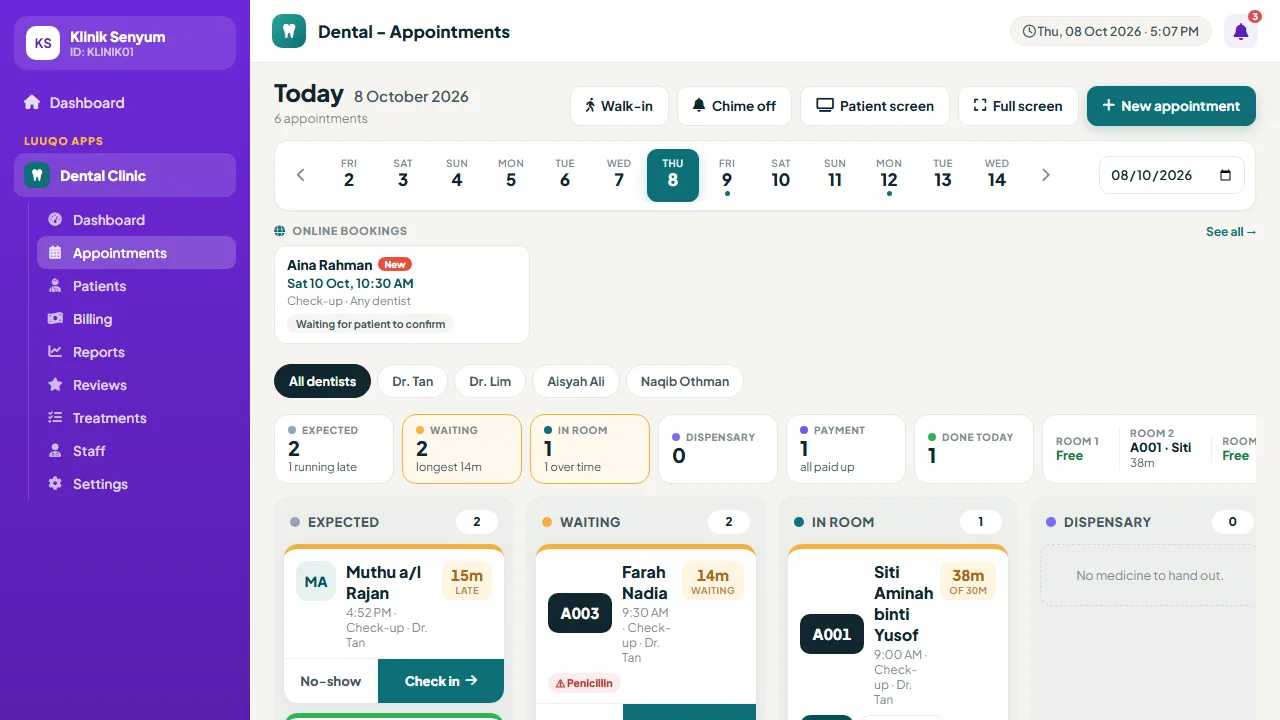
The whole clinic sees the same board.
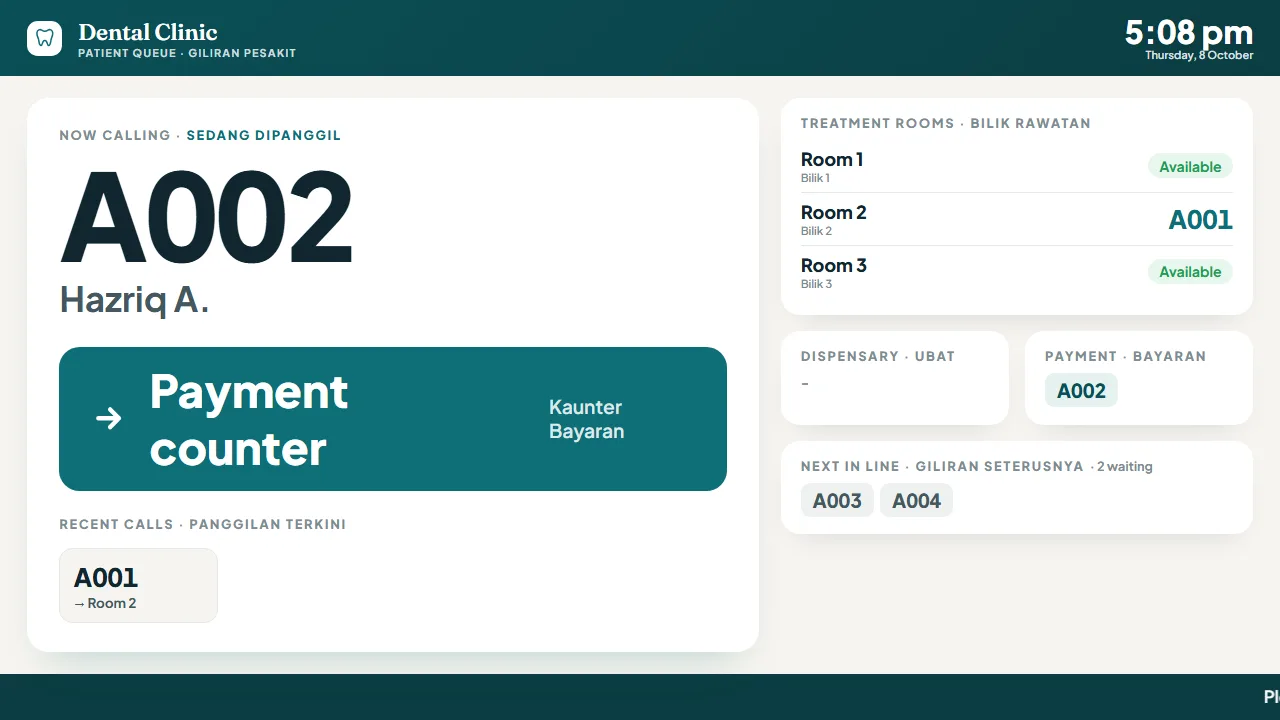
Today’s patients appear as tickets on one live board, like a restaurant kitchen. The front desk, the treatment rooms and the waiting-room TV update by themselves every few seconds.
- Press Arrived and the patient gets queue number A001, A002
- Call to a room and the TV announces the number and room out loud
- Walk-ins with a brand-new patient in seconds
- A warning when a patient still owes before they are marked Done
- The TV shows numbers and short names only, never full names
Scan MyKad
New patients registered in seconds.
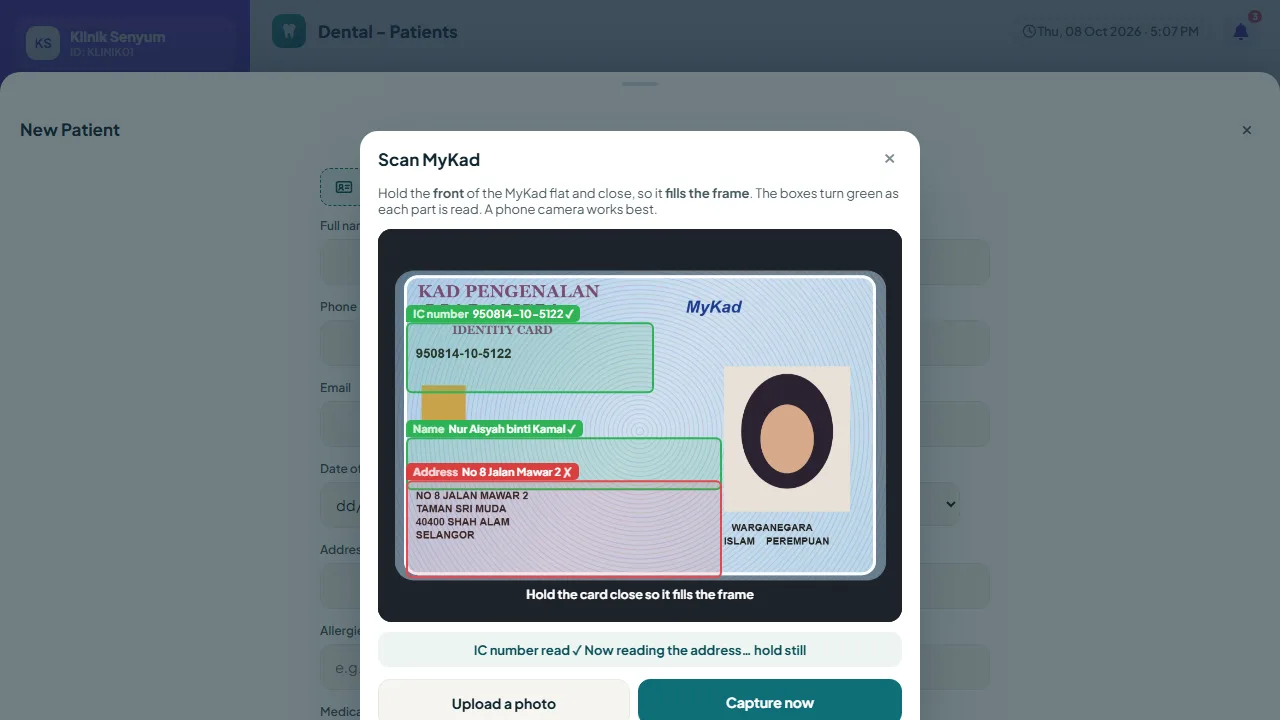
Hold the MyKad up to the camera. The boxes for the IC number, name and address turn green as they are read, and the date of birth and gender come from the IC number.
- The card is read on your own device; the picture is never uploaded or stored
- Staff check the details before they fill the form
- On the new patient, edit patient and walk-in forms
- Just typing the IC number shows age, gender and state of birth
- Upload a photo of the card if the camera won’t open
Visits & charts
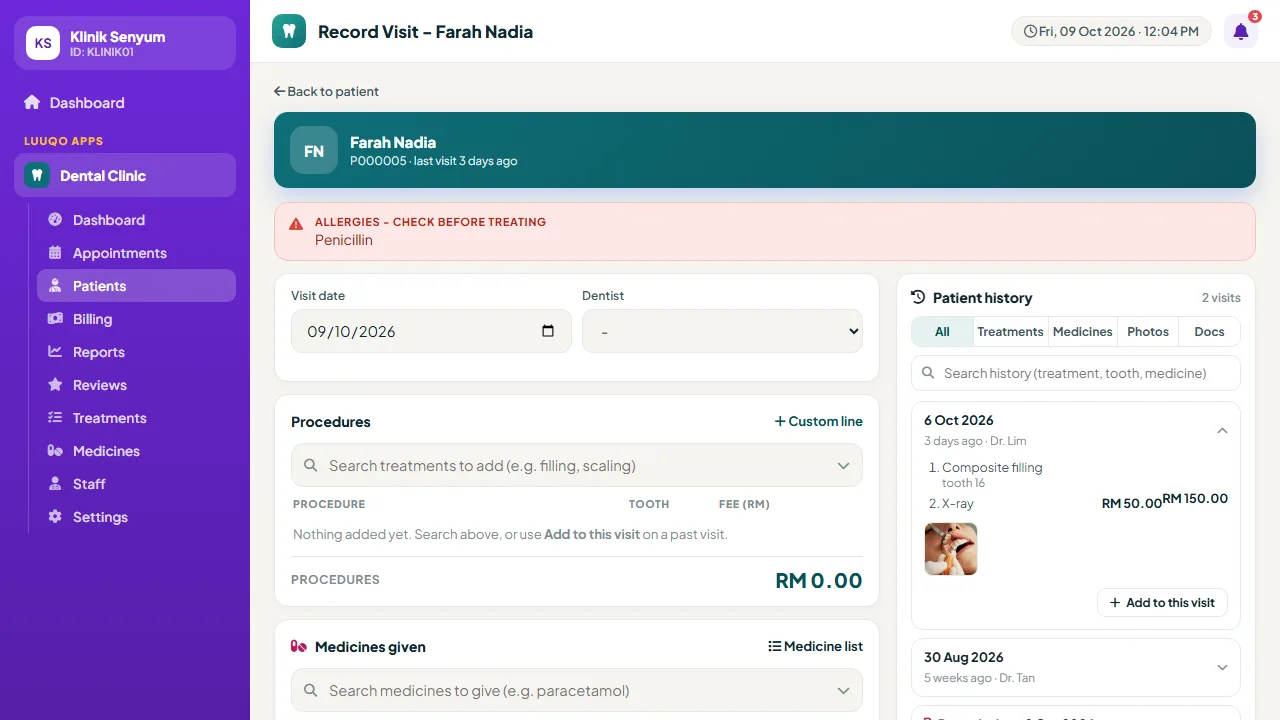
The patient’s history right beside you while you treat.
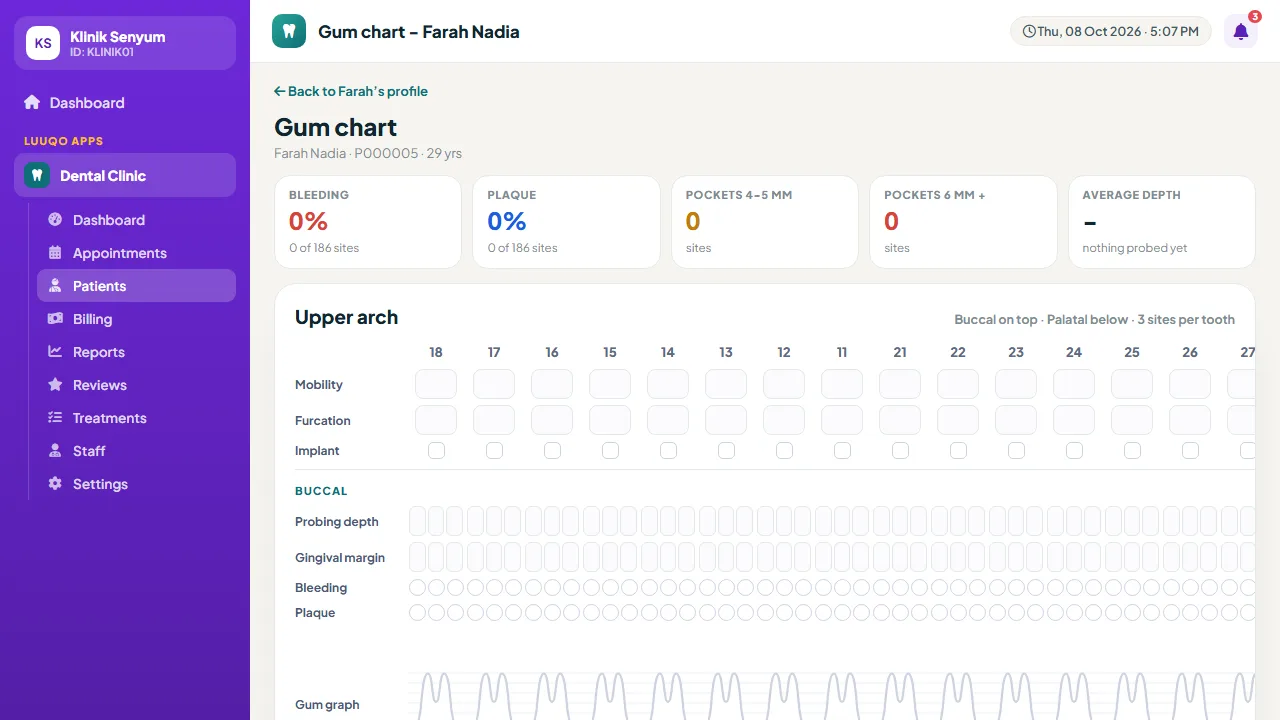
Tick treatments, give medicines with dose and instructions, attach x-rays. Past visits, medicines and documents sit beside the form.
- "Add to this visit" repeats a past visit’s treatments in one tap
- "Prescribe again" for the same medicines
- Medicine labels and a prescription from the medicines given
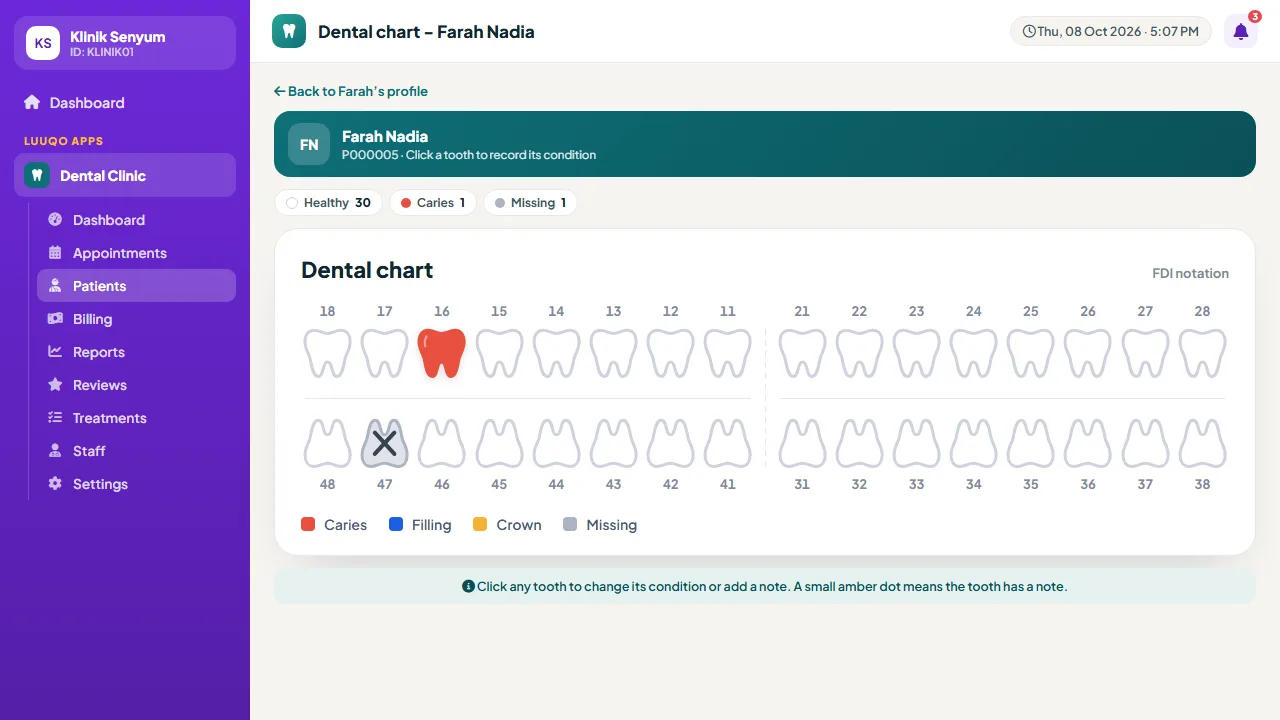
- FDI dental chart and gum chart to compare between visits
- MCs, quotations, referral letters, consent forms and time slips
Online booking
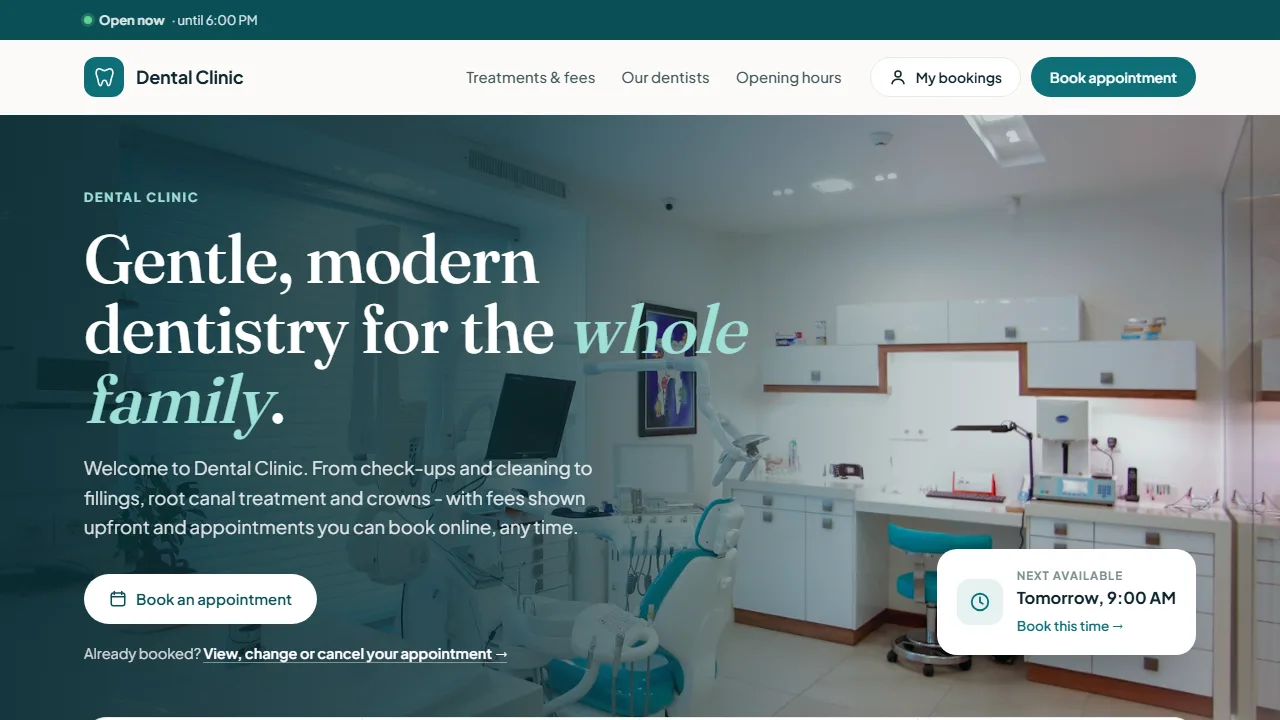
Your own clinic website, with 24/7 booking.
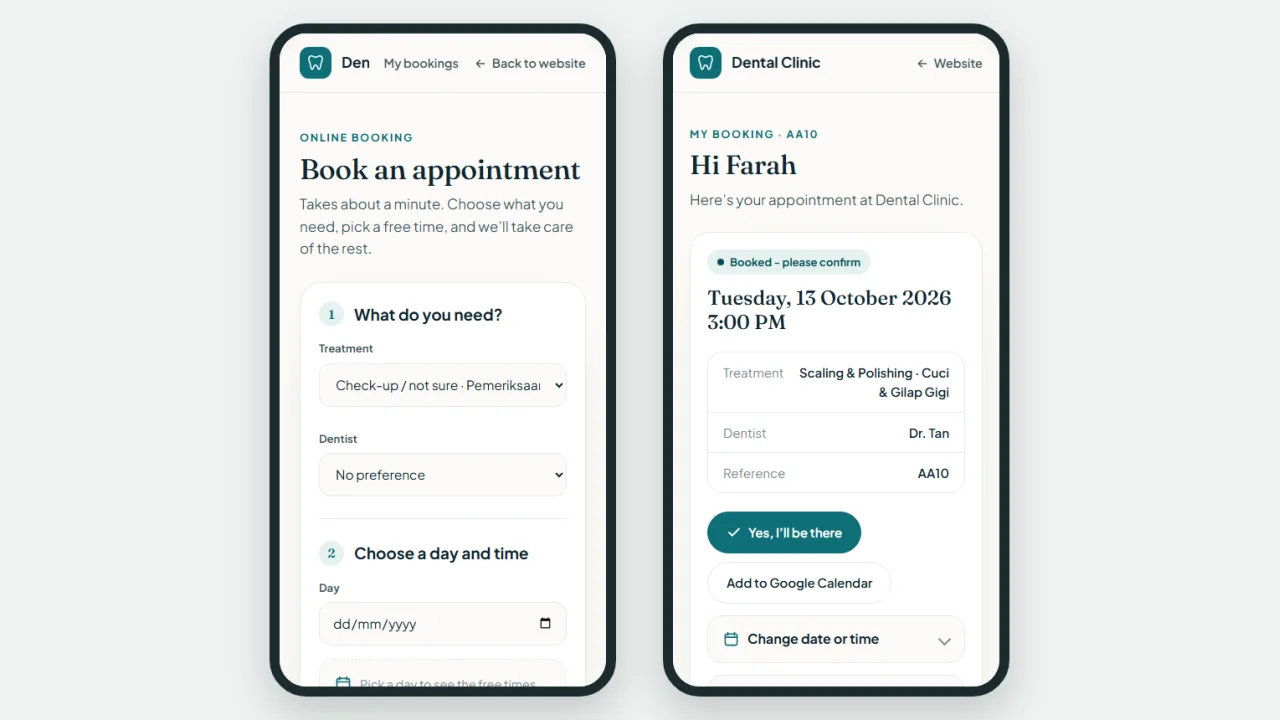
Patients choose a treatment, a dentist and a day, and only see times that are really free: within your hours, when the dentist works, not already taken.
- Treatments and fees, dentists, opening hours, a map and a WhatsApp button
- A confirmation email with a link to confirm, move or cancel
- A pop-up and chime on every clinic screen for each new booking
- "My bookings": patients see their visits and balance with their phone number
- Clinical notes are never shown to patients
Google reviews
More stars on Google, without the awkward asking.
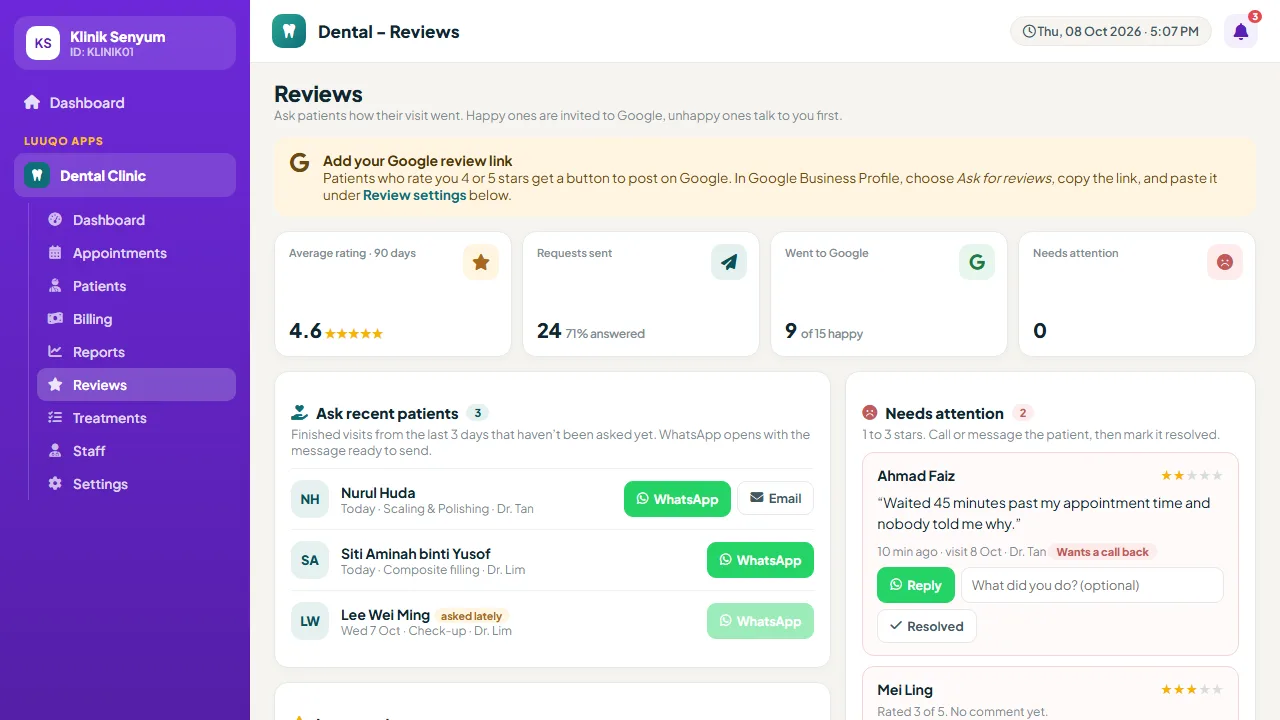
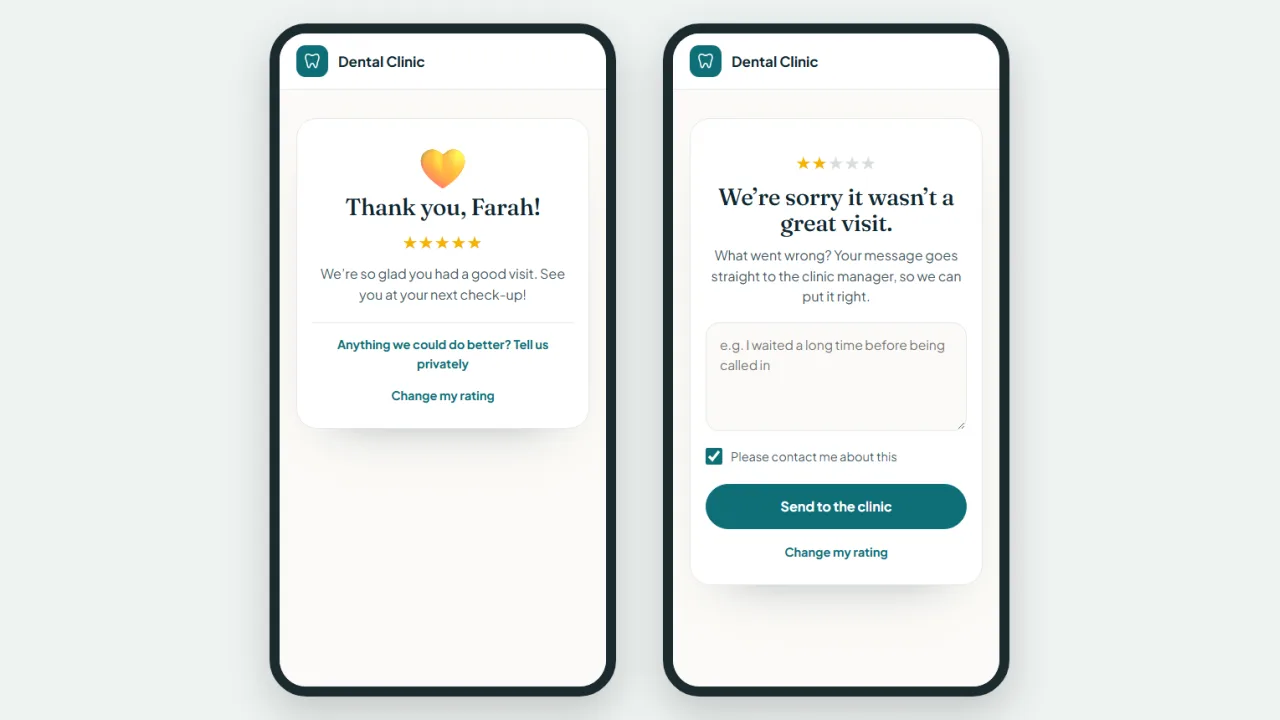
After treatment, patients are asked to rate their visit. Happy ones are invited to Google; unhappy ones tell the clinic privately first, so you can put it right.
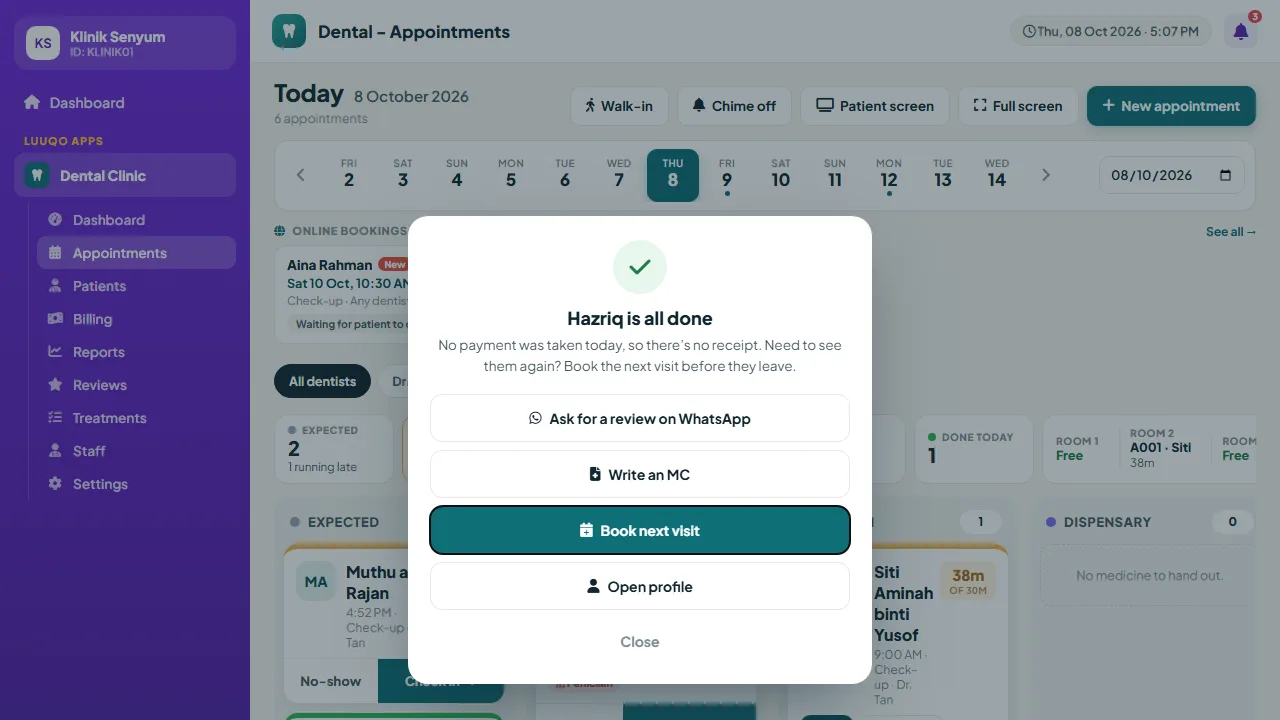
- An "Ask for a review on WhatsApp" button when a patient is marked Done
- An automatic email after the visit, if you switch it on
- Complaints pop up for staff and wait under "Needs attention"
- A small Google link is still shown, as Google’s rules require
- Average rating, requests sent and how many went to Google
Everything
Built for the way dental clinics actually work.
From the first booking to the last review: patients, scheduling, treatment, billing and reports.
Patients
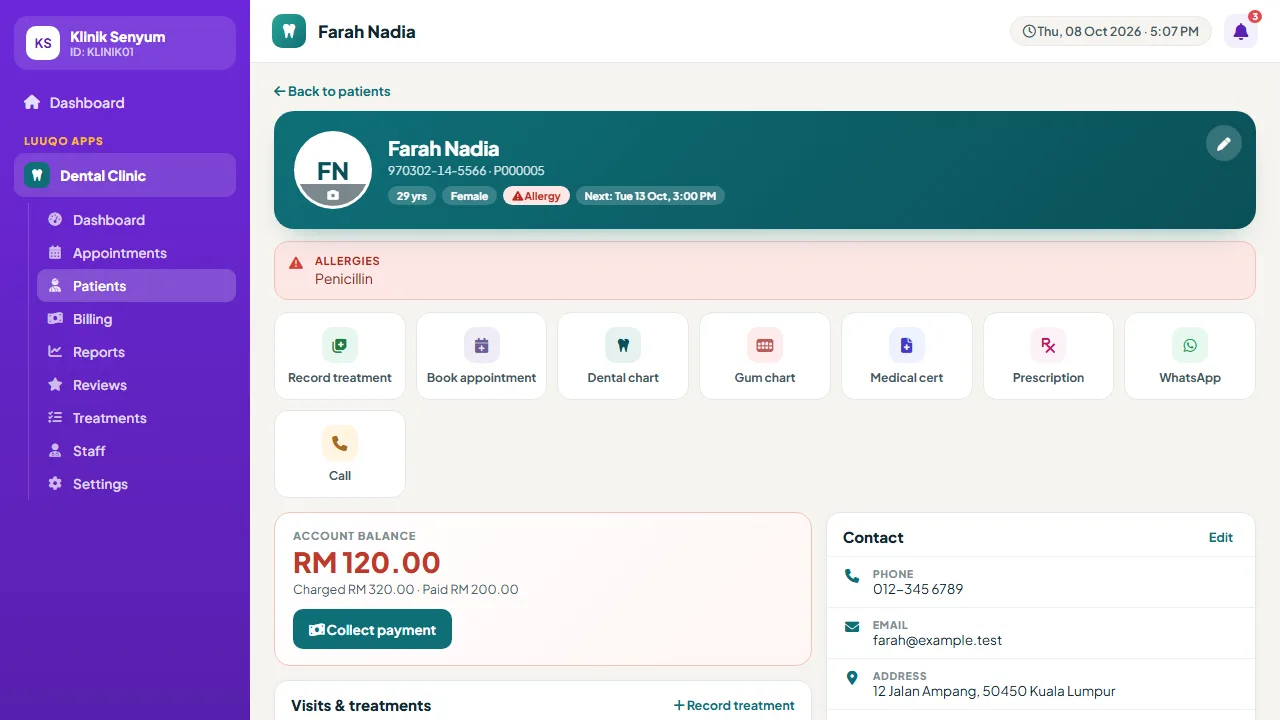
- One profile: details, allergies, visits, charts, appointments, payments and documents
- Scan MyKad or type the IC number for date of birth and gender
- Allergies in red on the profile and the Clinic Flow ticket
- Search by name, phone or patient number
- Patient photo from the camera or a file
Appointments
- Daily schedule with status: scheduled, confirmed, completed, cancelled, no-show
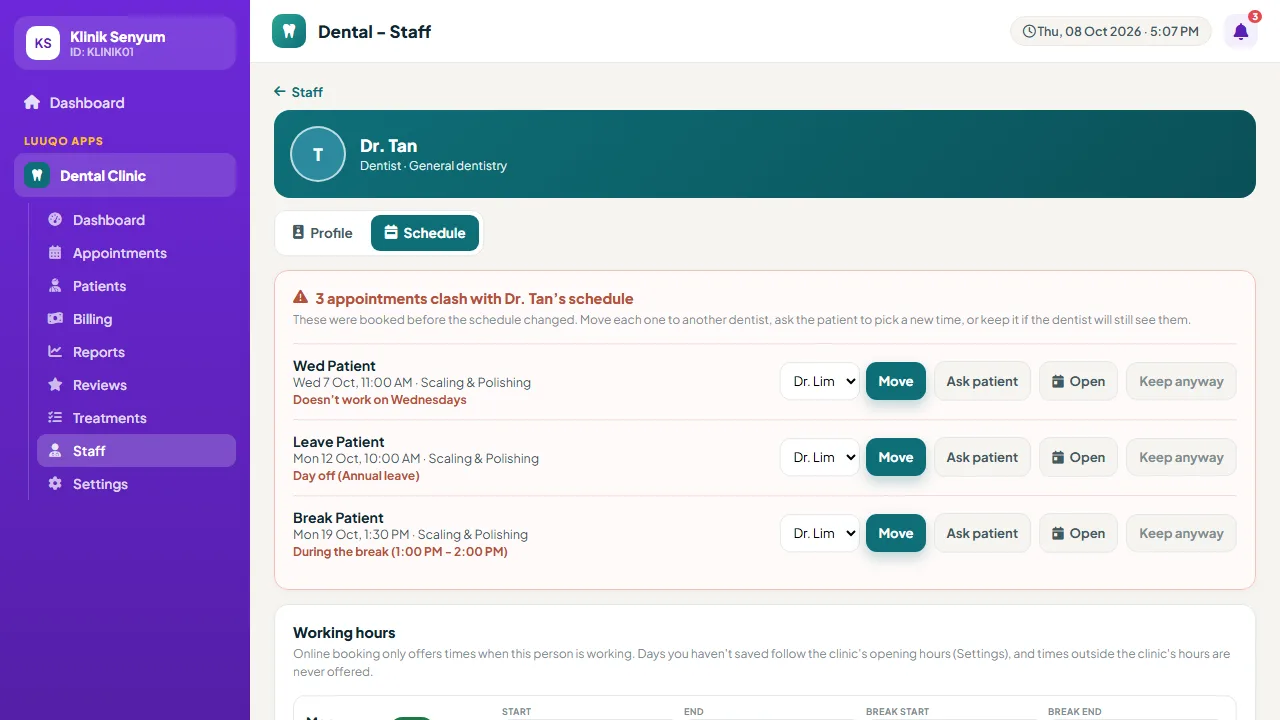
- Clash warnings: outside the dentist’s hours, a break, leave or already taken
- 24/7 online booking with your own change cutoff
- Patients confirm, move or cancel from their own link
- Book the next visit straight from the board
Clinic Flow & TV
- Live board: expected, waiting, in room, dispensary, payment, done
- Queue numbers, waiting timers and free rooms
- Waiting-room TV calls numbers with a chime, in Malay and English
- Full screen for a front-desk monitor, filter by dentist
- A secret TV link you can renew
Treatment & charts
- Visit records with tooth, fee and clinical notes
- Patient history beside the visit form
- X-ray and intraoral photos on every visit
- FDI odontogram and periodontal chart
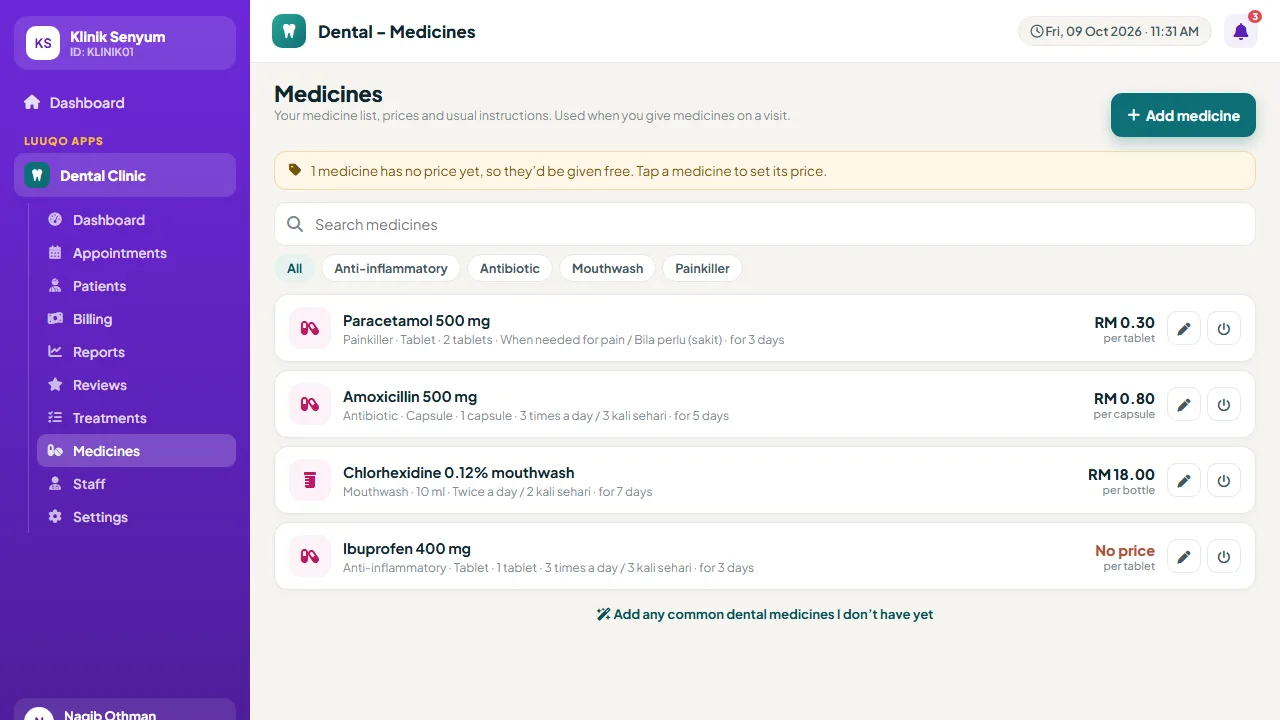
- Medicine list with Malay and English instructions, medicine labels
Billing & panels
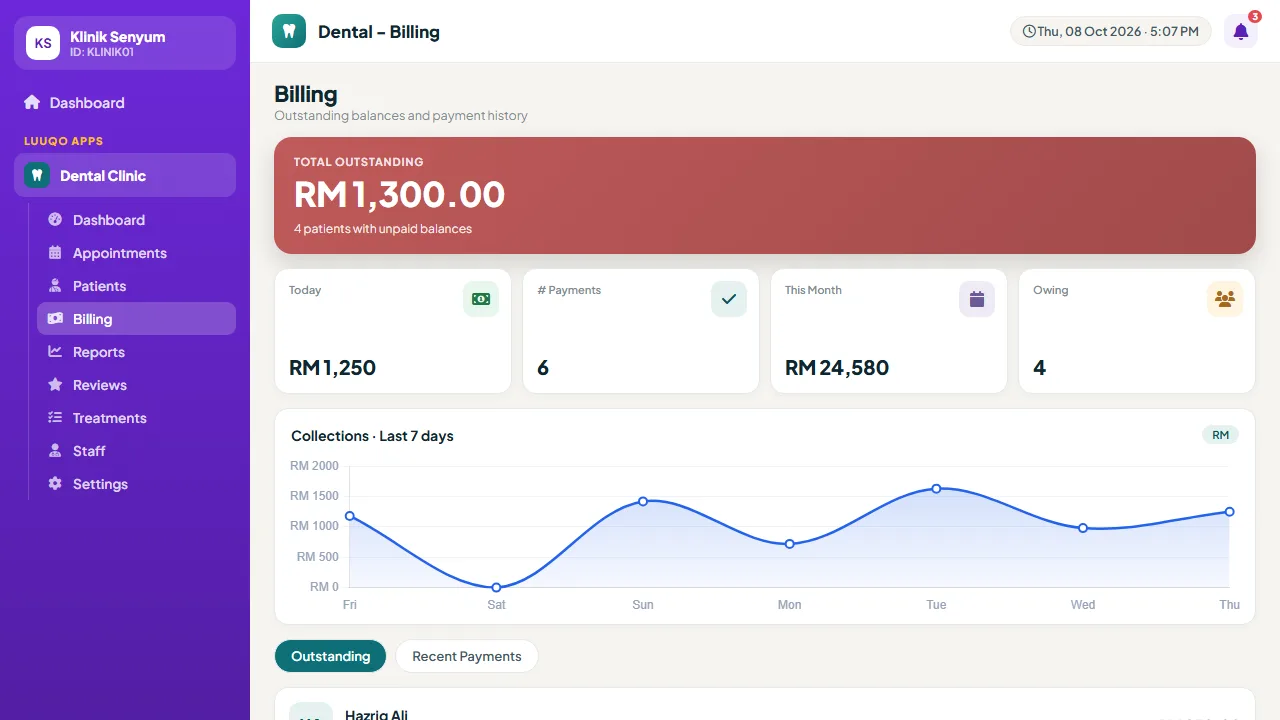
- Cash, card, QR / DuitNow, bank transfer or panel
- Discounts and price adjustments with a reason
- Insurance and company panels: limit per visit and a cover-check link
- Panel claims: not sent, sent, paid, rejected
- Who owes on the dashboard, profile and billing
Documents
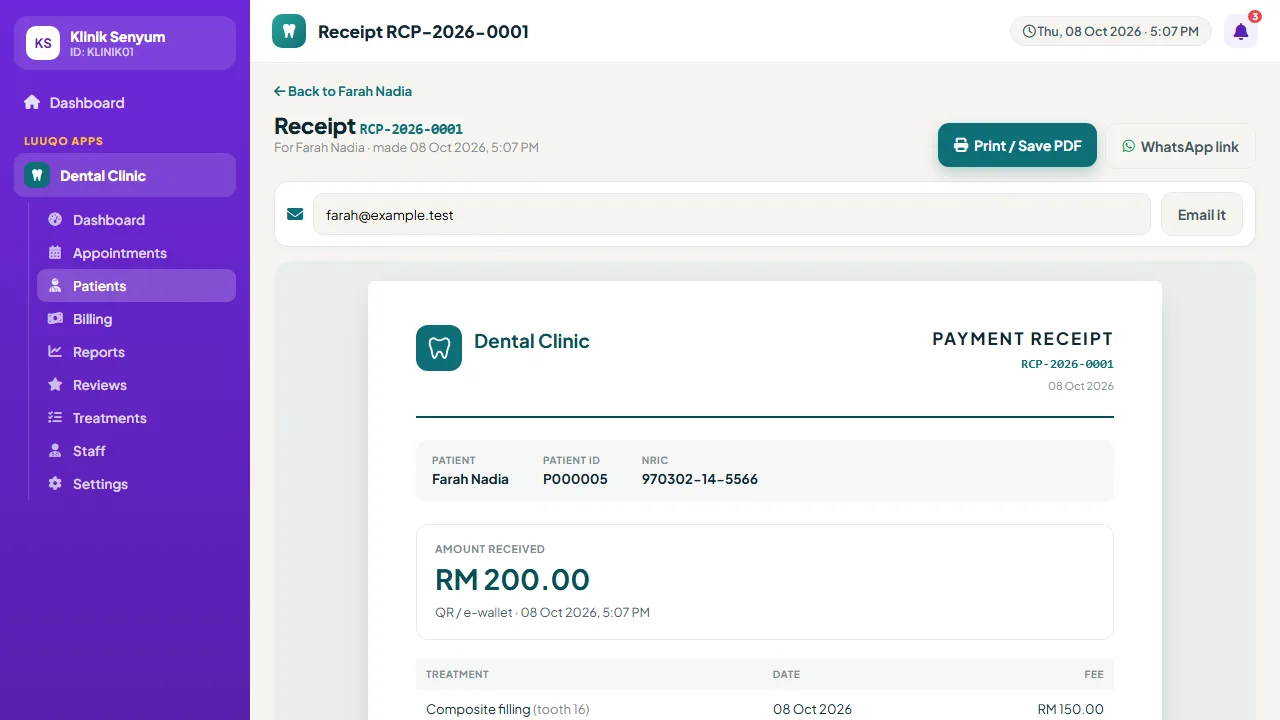
- Numbered receipts, invoices, MCs and prescriptions
- Quotations, referral letters, consent forms and time slips
- Print or save as PDF (A4)
- Email to the patient, or send the link on WhatsApp
- Patients open them without logging in
Reviews & messages
- Review requests by WhatsApp or email
- Private feedback for 1-3 stars, Google for 4-5
- Automatic booking and confirmation emails
- WhatsApp messages written for you, staff tap send
- Staff pop-ups for bookings, changes and complaints
Staff & schedules
- Dentists, assistants, receptionists and admins
- Each dentist’s working days, breaks and leave
- A warning when a new schedule clashes with appointments
- Move an appointment to another dentist in one tap
- Role-based access in Luuqo
Reports & setup
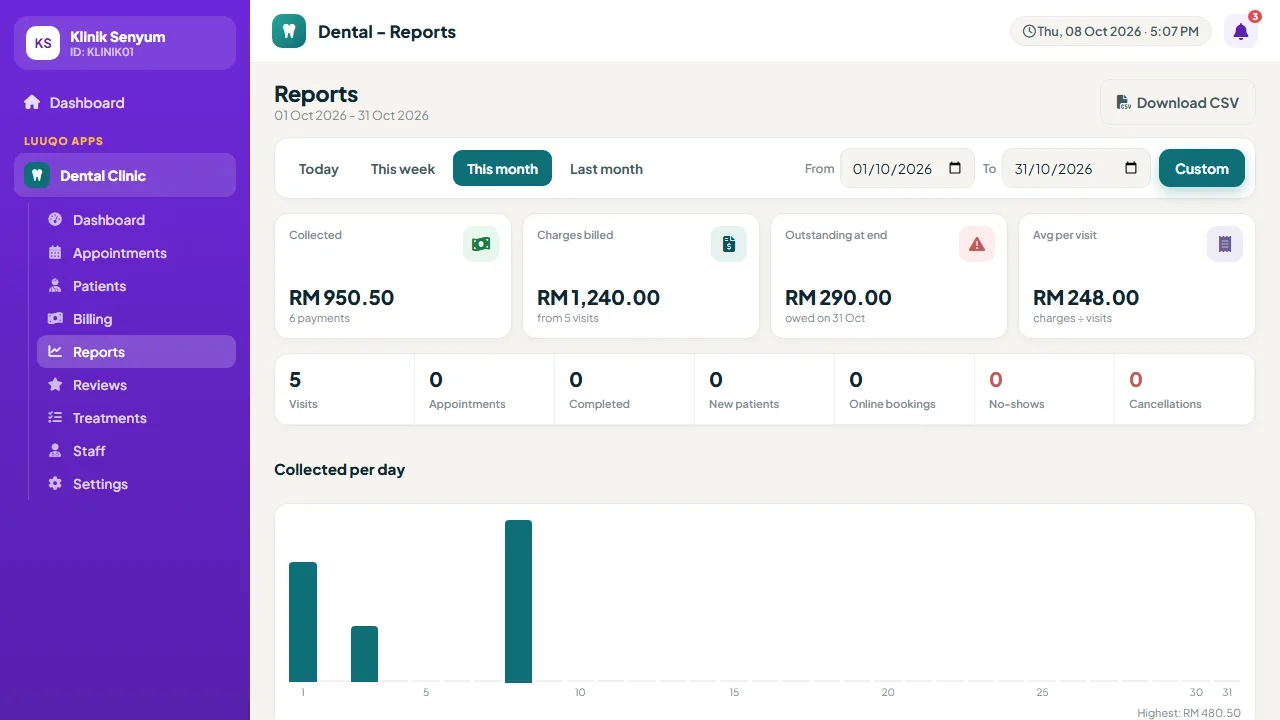
- Collections by day and payment method
- Top treatments and dentists by value
- CSV download for your accountant
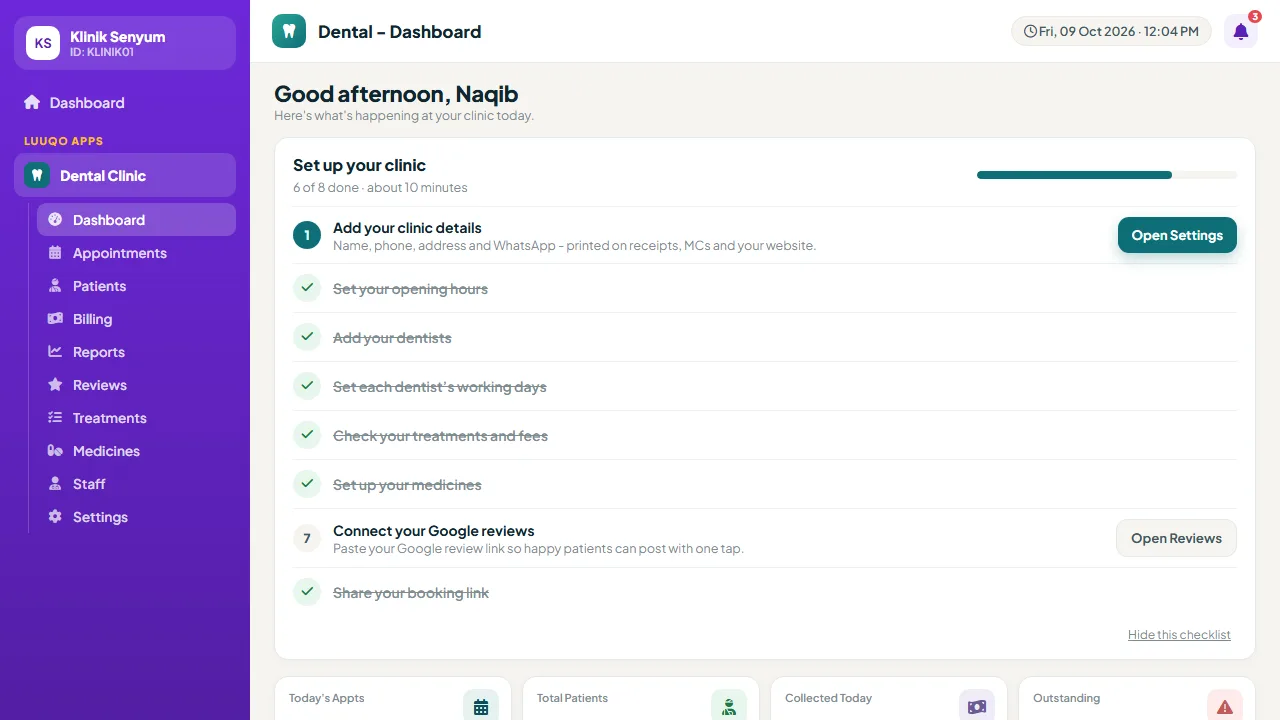
- A "Set up your clinic" checklist on day one
- Times always in your clinic’s own time zone
Some features depend on the plan you subscribe to. See each plan’s details in the Luuqo Store.
Questions?
Talk to us on WhatsApp.
Leave your name and phone number, and WhatsApp opens with a message already written. We’ll help you choose a plan and set up your clinic.
Questions
What clinics ask.
Do patients need to download an app?
No. Booking, my bookings, documents and review pages all open in any phone browser from a link.
Is our patient data safe?
Your data stays in your clinic’s Luuqo account and only your staff can see it. Patients only see their own bookings, bills and documents through secure links, never clinical notes. MyKad pictures are never stored.
Can we use it on a tablet at the chair?
Yes. Every page works on tablets and phones, including the board, charts and visit recording.
Do patients pay online?
No. The clinic records payments at the counter: cash, card, QR / DuitNow, bank transfer or panel. Receipts can be printed, emailed or sent on WhatsApp.
Do WhatsApp messages send themselves?
Messages are written for you with the patient’s name, and staff just tap send. Emails (booking confirmations and review requests) go out automatically if your plan includes automatic emails.
Can we handle insurance and company panels?
Yes, from the Growth plan. Set a patient’s panel and member number, choose Panel when taking payment, and follow each claim until it is paid. A rejected claim goes back on the patient’s balance.
What about medicine stock?
Dental keeps your medicine list with prices and instructions. Stock, batches and expiry dates are handled in Luuqo’s Item Master and Stock Card modules.
Can my staff use it?
Yes. Add them in Luuqo and choose which Dental pages each role can open. Dentists, assistants and receptionists each get their own screens.
How long does it take to get started?
Most clinics are ready in an afternoon. The checklist on the dashboard walks you through every step, and a list of common treatments is already there to edit.
Open your clinic’s booking link today.
Subscribe in your Luuqo account, follow the checklist and share your link.
Start today 💬 WhatsApp us